Construction Invoice Template: A Complete Guide to Contractor Billing and Progress Payments
Construction projects involve multiple tasks, materials, labour costs and payment stages. Keeping track of all these expenses can become complicated, especially when contractors work with general contractors (GCs), subcontractors, property owners and project managers. A construction invoice template makes this process easier by helping contractors organise project costs, document completed work and request payments professionally. Unlike a standard invoice, a construction invoice may need additional details such as project addresses, labour and material breakdowns, progress payments, retainage and change orders. Whether you're a general contractor handling a large project, a subcontractor billing a construction company, or an independent contractor working on residential projects, choosing the right invoice format can help avoid billing confusion and payment delays. In this guide, we'll cover the different types of construction invoices, what information they should include, how progress billing works and how you can create professional contractor invoices.
Published · Last reviewed .
By invohq.
Key takeaway
Use a standard construction invoice for one-time jobs, a progress billing invoice for projects with staged payments, and a contractor-specific invoice for subcontractor billing. The right format helps keep project costs organised and makes payment requests easier to review.
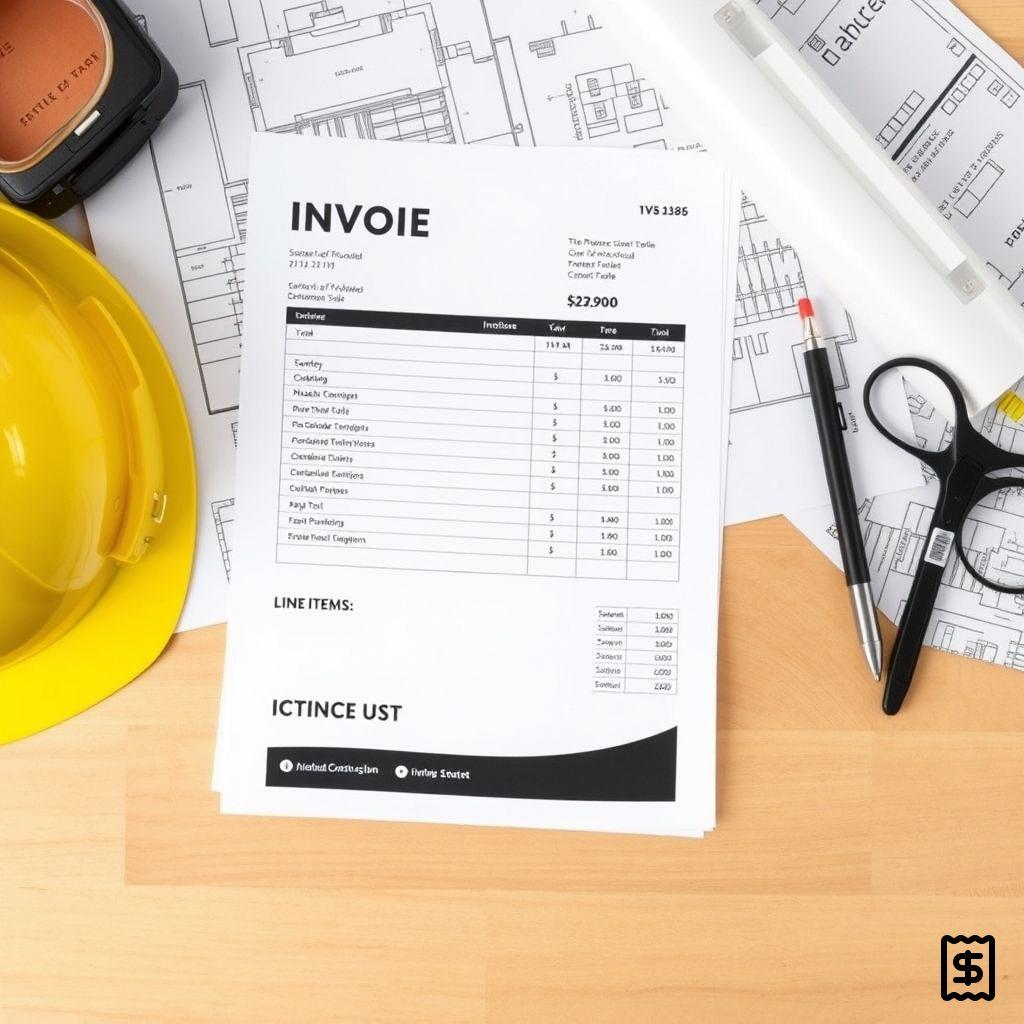
What Is a Construction Invoice?
A construction invoice is a document used by contractors and construction businesses to request payment for completed work, supplied materials, labour and other project-related expenses. It provides a breakdown of the work performed, the amount charged and the payment terms agreed upon between the contractor and the client. Construction invoices are commonly used by:
- General contractors
- Subcontractors
- Residential construction companies
- Commercial contractors
- Electricians and plumbers
- Roofing and flooring contractors
- Independent construction professionals
Depending on the project, an invoice may cover the entire job or only a specific stage of the work. For example, a residential contractor may issue one invoice after completing a renovation, while a commercial contractor may submit multiple progress invoices throughout a six-month project.
What Should a Construction Invoice Template Include?
A professional construction invoice should provide enough information for the client, project manager or accounting team to review and approve the payment. Here are the essential details to include.
1. Contractor and Business Information
Start with your business details so the client knows who is issuing the invoice. Include:
- Contractor or company name
- Business address
- Phone number and email address
- Business registration or tax identification details, where applicable
- Company logo
2. Client and Project Information
Construction projects often involve multiple locations and stakeholders. Your invoice should clearly identify the client and the project being billed. Include:
- Client or property owner's name
- Client billing address
- Project name
- Project site address
- General contractor details, if applicable
- Purchase order or contract reference number
Remember that the project address and billing address may be different.
3. Description of Work Completed
Avoid using vague descriptions such as "construction work" or "labour charges." Instead, provide a clear breakdown of the services performed. For example:
| Description | Quantity | Amount |
|---|---|---|
| Flooring installation | 500 sq. ft. | $2,500 |
| Electrical work | 1 project | $1,200 |
| Plumbing installation | 1 project | $1,500 |
| Material supply | 1 lot | $800 |
A detailed breakdown makes it easier for clients and project managers to understand the charges.
4. Labour and Material Costs
Labour and materials should ideally be listed separately. For example:
- Labour charges: $3,000
- Material costs: $2,000
- Equipment rental: $500
- Additional expenses: $200
Separating these costs improves transparency and helps clients understand how the final amount is calculated.
5. Taxes, Discounts and Additional Charges
Include applicable taxes, discounts and additional charges separately. Depending on your location and project requirements, this may include sales tax, VAT or other applicable taxes. Make sure the invoice clearly displays the subtotal, tax amount and final payment due.
6. Payment Terms and Due Date
Clearly mention when payment is expected. Common payment arrangements include:
- Due upon receipt
- Net 15
- Net 30
- Milestone-based payments
- Progress-based billing
Always follow the payment terms agreed upon in the construction contract.
7. Retainage and Change Orders
For projects involving staged payments, include details of any retainage withheld and approved change orders. Retainage is an agreed portion of payment held back until specified project milestones or completion. Change orders document modifications to the original scope of work, including additional labour, materials or costs. Including these details helps maintain a clear record of the project finances.

Standard Construction Invoice Template vs. Progress Billing Invoice
Not every construction project follows the same payment structure. The type of invoice you use should depend on the project duration, contract terms and payment arrangement.
Standard Construction Invoice Template
A standard construction invoice works well for smaller projects, one-time jobs and contracts where payment is due after the work is completed. For example, a contractor completing a bathroom renovation may issue a single invoice covering labour, materials and installation charges. A standard construction invoice should include:
- Contractor and client details
- Project address
- Description of completed work
- Labour and material breakdown
- Applicable taxes
- Total amount due
- Payment terms
This format is straightforward and suitable when the entire project is billed at once.
Construction Progress Billing Invoice
Progress billing is commonly used for larger construction projects where payments are released in stages. Instead of waiting until the entire project is completed, contractors submit invoices based on the percentage of work completed or agreed project milestones. For example, a contractor working on a commercial building may bill the client at different stages:
| Project stage | Completion | Amount billed |
|---|---|---|
| Foundation | 25% | $25,000 |
| Structural work | 50% | $50,000 |
| Electrical and plumbing | 75% | $75,000 |
| Final completion | 100% | $50,000 |
Illustrative example based on a $200,000 contract. Progress billing helps contractors receive payments throughout the project instead of waiting until the final handover.
What Is a Schedule of Values in Construction Billing?
A Schedule of Values (SOV) is a breakdown of the total contract amount into individual work categories or project activities. It is commonly used in commercial construction projects to track completed work and calculate progress payments. For example, a $400,000 construction contract could be divided into:
| Work category | Scheduled value |
|---|---|
| Site preparation | $40,000 |
| Foundation | $80,000 |
| Structural work | $120,000 |
| Electrical and plumbing | $60,000 |
| Interior finishing | $70,000 |
| Final inspection and completion | $30,000 |
| Total contract value | $400,000 |
During each billing cycle, contractors update the completed percentage for each category and calculate the amount eligible for payment. For certain commercial projects, AIA G702 and G703 forms are commonly used for payment applications and continuation sheets. These documents help organise the original contract value, completed work, previous payments, retainage and remaining balance.
Understanding Retainage in Construction Invoices
Retainage is a portion of the contractor's payment that is withheld until a specified stage of the project or final completion. It is commonly used in construction contracts to provide an incentive for completing the agreed work and resolving outstanding issues. For example, consider a contractor who completes $50,000 worth of work during a billing period. If the contract specifies 10% retainage:
| Description | Amount |
|---|---|
| Completed work | $50,000 |
| Retainage (10%) | $5,000 |
| Amount payable | $45,000 |
The withheld $5,000 remains outstanding until the retainage release conditions in the contract are satisfied. Retainage percentages and release conditions vary by contract, project and jurisdiction. Contractors should always check their agreements to understand how much retainage applies and when it will be released.
Contractor Invoice Template for Subcontractors
Subcontractors often work under general contractors and need to follow specific billing requirements. Unlike a direct contractor-to-client invoice, a subcontractor invoice should align with the general contractor's payment process and project documentation requirements. A subcontractor invoice should generally include:
- General contractor details: Name and contact information of the GC receiving the invoice.
- Purchase order or subcontract number: The reference number associated with the project.
- Project details: Project name, location and billing period.
- Work completed: A detailed breakdown of the subcontracted services.
- Labour and materials: Separate charges wherever required.
- Approved change orders: Additional work authorised beyond the original subcontract.
- Payment terms: Agreed payment schedule and due date.
- Supporting documents: Certified payroll, inspection records or lien waivers where applicable.
Why Should Subcontractors Follow the GC's Billing Schedule?
General contractors often follow a specific billing cycle when submitting payment applications to property owners or project managers. Subcontractors may need to submit their invoices before the GC's internal billing deadline so the work can be included in the relevant payment application. Missing a billing deadline or providing incomplete documentation can delay invoice approval. Before submitting an invoice, confirm:
- The correct billing period.
- The required purchase order number.
- The approved scope of work.
- Any supporting documentation.
- The GC's invoice submission deadline.
This makes the billing process more organised and reduces avoidable back-and-forth communication.
How to Choose the Right Construction Invoice Template
The right construction invoice format depends on the type of project and how payments are structured. Here's a quick comparison:
| Project situation | Recommended invoice format |
|---|---|
| Small residential renovation | Standard construction invoice |
| One-time repair or installation | Standard contractor invoice |
| Multi-month commercial project | Progress billing invoice |
| Contractor billing based on milestones | Milestone-based invoice |
| Subcontractor billing a GC | Contractor invoice with PO reference |
| Public construction project | Contract-specific billing documentation |
Before selecting a template, check the billing requirements in your construction contract. Some projects may require specific payment application forms, supporting documentation or approval procedures that a basic invoice template cannot replace.

Common Construction Invoicing Mistakes to Avoid
Even experienced contractors can encounter payment delays because of incomplete or incorrectly prepared invoices. Here are some common mistakes to watch out for.
1. Not Including the Project Address
A contractor may work on several projects for the same client. Including the correct project address helps the accounting team identify which job the invoice relates to.
2. Combining Labour and Material Costs
A single combined amount makes it difficult for clients to understand the cost breakdown. List labour, materials and additional expenses separately whenever the contract or applicable requirements call for it.
3. Incorrect Progress Billing Calculations
Progress invoices should accurately reflect the completed work, previous billings and remaining contract balance. Incorrect percentages can result in payment applications being questioned or returned for revision.
4. Forgetting Approved Change Orders
Additional work outside the original contract should be documented and approved according to the agreed change-order process. Make sure the relevant changes are reflected in the invoice.
5. Missing Purchase Order Numbers
Subcontractors working with general contractors should include the correct purchase order or subcontract reference. Missing references can make invoice processing difficult.
6. Not Mentioning Payment Terms
Always specify the payment due date and agreed payment conditions. This helps avoid confusion about when payment is expected.
Create a Professional Construction Invoice with Invohq
Managing construction projects involves enough paperwork already. Creating invoices shouldn't add to the workload. With Invohq, you can create professional invoices directly from your browser without installing additional software or creating an account. Whether you're a contractor billing for a completed project, a freelancer providing construction-related services or a small business managing client payments, Invohq makes basic invoice creation straightforward. You can:
- Add your business and client details.
- Include descriptions of products and services.
- Enter quantities and rates.
- Add applicable taxes and discounts.
- Customise your invoice with your business logo.
- Download a professional PDF invoice.
For projects involving complex progress billing, schedules of values, retainage calculations or specialised payment applications, make sure you use the additional documentation required by your contract. Ready to create your next invoice? Use Invohq's free online invoice generator to create, customise and download a professional invoice in minutes.
Ready to invoice?
No signup, no watermark, and your details stay in your browser.
Create your free invoiceFrequently asked questions
What is a construction invoice template?
A construction invoice template is a pre-designed document that contractors use to request payment for completed work, labour, materials and other project-related expenses. It typically includes contractor details, project information, cost breakdowns, payment terms and the total amount due.
What should a construction invoice include?
A construction invoice should include the contractor's business details, client information, project address, invoice number, date, description of work, labour and material costs, applicable taxes, payment terms and total amount due. Larger projects may also require progress billing details, retainage and supporting documentation.
What is the difference between a construction invoice and a progress billing invoice?
A standard construction invoice generally requests payment for a completed job or agreed portion of work. A progress billing invoice requests payment in stages based on completed work, project milestones or an agreed percentage of completion.
What is retainage in construction billing?
Retainage is a portion of a contractor's payment withheld until specific project milestones or completion conditions are met. The percentage and release conditions depend on the construction contract and applicable regulations.
Can subcontractors use a standard contractor invoice template?
Subcontractors can use a contractor invoice template, but they may need additional fields such as the general contractor's purchase order number, subcontract reference, billing period and approved change orders. They should also follow the GC's invoice submission requirements.
How do I calculate progress billing?
Progress billing is generally calculated using the value of work completed during a billing period, previous billings and any applicable retainage. Contractors should follow the payment application method and calculation requirements specified in their construction contract.
What is a Schedule of Values (SOV)?
A Schedule of Values is a breakdown of the total construction contract amount into individual work categories. It helps contractors, clients and project managers track the value of completed work and calculate progress payments.
What is the difference between AIA G702 and G703?
AIA G702 is a standard application and certificate for payment form, while AIA G703 is a continuation sheet that provides a detailed breakdown of the schedule of values and work completed. Both are commonly used in commercial construction payment applications.
Can I create a construction invoice online for free?
Yes. Online invoice generators allow contractors and small businesses to create invoices without manually designing documents. Invohq lets users enter business and client details, add service descriptions, customise invoices and download PDFs without creating an account.
Can I download a construction invoice as a PDF?
Yes. You can use an online invoice generator to create an invoice and download it as a PDF. PDF files are convenient for sharing with clients, general contractors and project accounting teams.