Free invoice generator: create a professional invoice in minutes
No signup. No watermarks. Add your business and client details, line items, taxes and discounts, then download or print a clean PDF. Your data stays in your browser.
No email, no login, no download required.
What the free invoice generator does
Everything below is free and unlimited. No account, no trial, and no watermark on the document you send.
No signup
Create and download your first invoice immediately. Nothing to install or create.
Private by default
Anonymous invoices stay in your browser. Nothing is uploaded unless you choose to save.
International formats
Change the currency, locale and tax label to suit the client, so it is not a one-country tool.
Branded & clean
Add your logo, business and client details for a professional-looking document.
PDF ready
Print or save as PDF with a reliable, canonical layout that matches your preview.
A real tool
Line items, discounts, taxes, amount paid and clear totals, computed correctly every time.
How to make an invoice, in three steps
The H1 above promises minutes. This is what those minutes look like: no tutorial, no setup, no import.
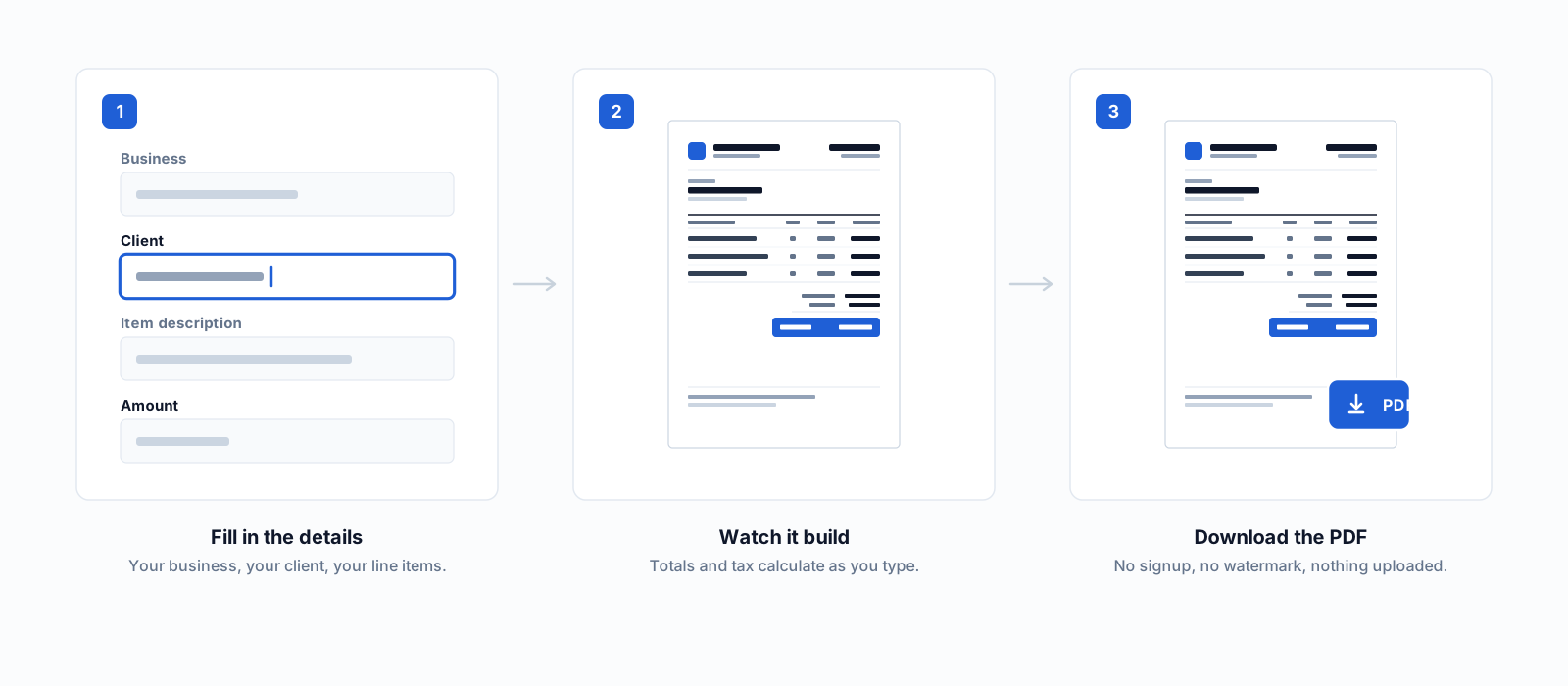
Fill in the details
Your business, your client, and a line per thing you are charging for. Quantity, unit and rate, and the tool does the multiplication.
Watch it build
Line totals, tax, discounts and the balance due recalculate on every keystroke, and the preview beside the form is the document you will send.
Download the PDF
Print or save. Your invoice never leaves the browser, so there is nothing to delete afterwards and no account holding it.
Or start from an invoice template
Same generator, set up for how your work is actually billed. Every one is free and editable.
- FreelancerHow to bill for freelance work
- ConsultantRetainer, day rate or project fee
- ContractorLabour, materials and equipment
- Service businessRecurring and per-visit billing
- PhotographerSession fee, deliverables and add-ons
- ConstructionThe schedule of values and payment application
- Graphic & web designProject fee and scope
- LegalBillable time and increments
- AutomotiveVehicle identification and job details
Or by country
Tax rules, invoice wording and registration numbers set up for where you're billing from.
Free to create. Pay only to save.
Creating and downloading an invoice is free, forever, for everyone. Pro ($9/mo) adds unlimited saving, every template and deeper customisation, only if you need to.
See full pricingFrequently asked questions
What is a free invoice generator?
A free invoice generator is a tool that turns your business and client details, line items, taxes and discounts into a professional invoice with a correct total, then lets you download or print it as a PDF, with no signup and no cost.
What's the catch? How does a free invoice tool make money?
There isn't one for creating invoices. Unlimited anonymous PDFs with no watermark are free permanently, not a trial. The business model is a paid tier for people who want their invoices saved and tracked over time, not for the core task of making one.
Is my invoice data private?
An anonymous invoice is built and stored entirely in your own browser. Nothing reaches a server unless you deliberately choose to save it to an account.
Can I use this for international clients?
The generator supports multiple currencies and locale-specific number and date formats, and tax labels are configurable rather than fixed to one country.
Do I need to download anything to use the generator?
No. It runs entirely in your browser: there is nothing to install and no app to open. Fill in the form, preview the invoice, then download the finished PDF or print it directly.
Does it number invoices automatically?
You set the invoice number yourself rather than having one assigned silently, so it stays in your control if you are tracking a sequence across other tools or past invoices. A clear, unbroken numbering sequence is also what keeps records easy to audit later.
What has to be on an invoice for it to be valid?
At minimum: your business details, the client's details, a unique invoice number, the issue date, a description of what is being billed, and the total due. The generator's fields cover all of this by default. Add your tax registration number too if you have one.
Can I add my logo and apply a discount or tax rate?
Yes to all three, on the free plan. Your logo is read locally and embedded in the PDF, never uploaded, and both tax and discounts are entered as explicit lines so the client sees exactly how the total was reached, not folded invisibly into the price.
Can I edit an invoice after I've downloaded it?
Yes. Nothing about the generator locks the form after a download. Change any field and download again; each download is a fresh PDF built from whatever is currently in the form, so correcting a typo does not mean starting over.
Do I have to pick a template before I start?
No. The generator opens with a default layout that fills in as you type, so you can start immediately. Switching templates (Modern or Classic free; Minimal, Professional and Executive on paid plans) is a separate step you can do before or after entering your details.
Ready to send your first invoice?
It takes less than two minutes from here to a downloadable invoice.
Create your invoice free